Key takeaways
- Businesses in ChatGPT is an OpenAI beta, launched on 10 November 2026, that lets eligible businesses claim and manage a profile through Business Hub.
- Claiming takes two separate checks: a claim verification (domain, phone, email or Shopify) and a Persona identity verification.
- Verified owners can manage official details and see aggregated mentions, website clicks and discovery topics.
- Business Agents and local store claiming start with eligible US businesses only.
- A claimed or verified profile does not guarantee recommendations, rankings or sales. ChatGPT still decides relevance on its own.
What is Businesses in ChatGPT?
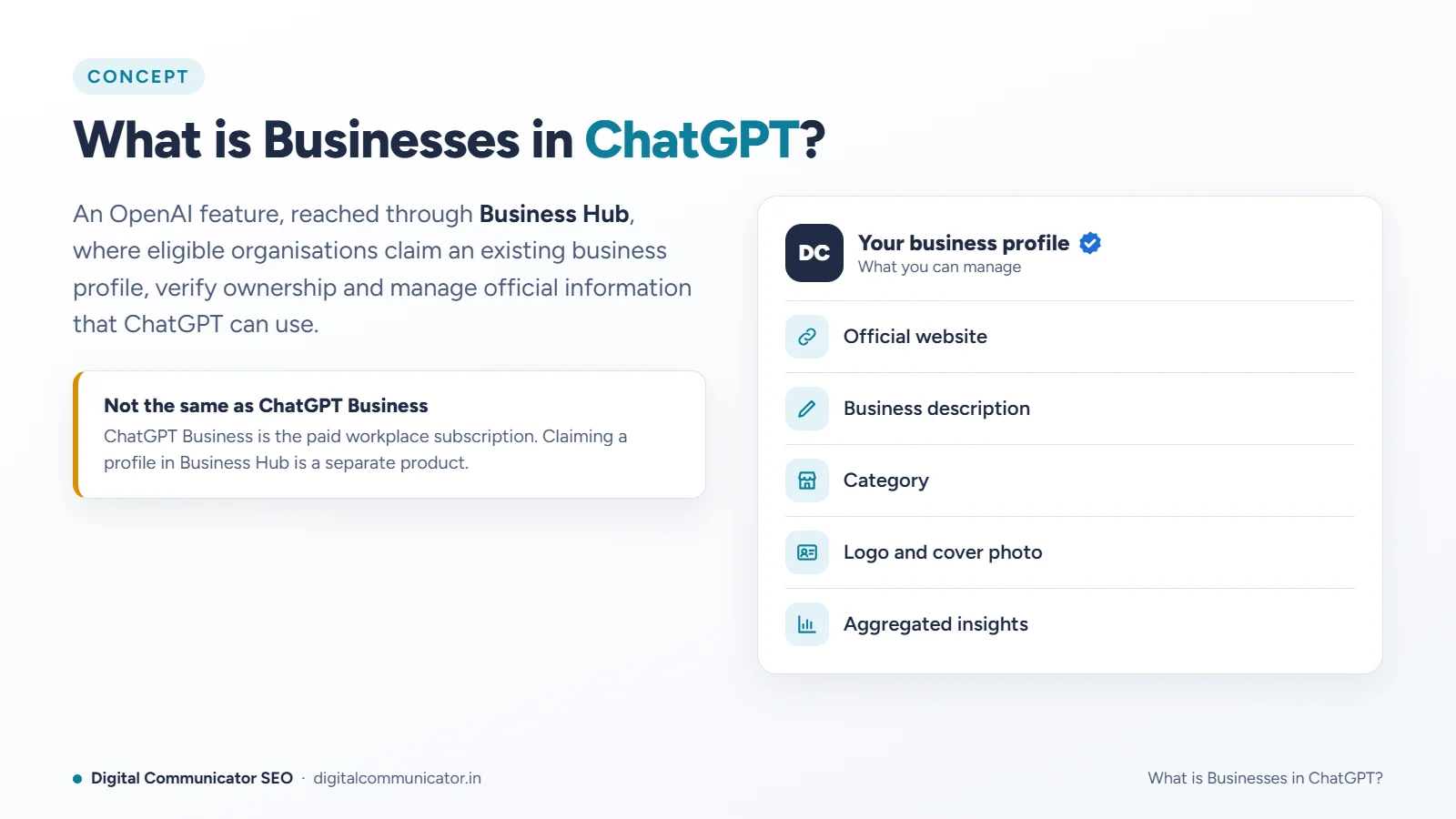
In short: Businesses in ChatGPT is an OpenAI feature, reached through Business Hub, where eligible organisations claim an existing business profile, verify ownership and manage official business information.
Once a claim is approved and verified, the business can submit accurate company information and see supported business insights. Specifically, a verified owner can:
- Manage details such as the official website, description, category, logo and cover photo.
- Complete ownership and identity verification to establish a verified profile.
- View supported aggregated insights, including website citations and mentions, clicks and discovery topics.
- Connect product information, if the business is an eligible retailer. Business Agents have separate eligibility.
Note
Businesses in ChatGPT is not the same as ChatGPT Business, which is OpenAI’s paid workplace subscription. Claiming a profile in Business Hub is a separate product.
Why does it matter?
In short: Conversational search carries far more context about what the customer needs, so accurate business details help ChatGPT describe you correctly.
A traditional search might start with “SEO agency Kerala.” A conversational search might ask, “Which consultant understands healthcare SEO and AI search for a clinic in Kerala?” The second query tells the system much more about the customer.
Accurate business details help avoid confusion about who you are and what you offer. ChatGPT still decides independently which businesses are relevant to each conversation.
How to claim your business in ChatGPT: step by step
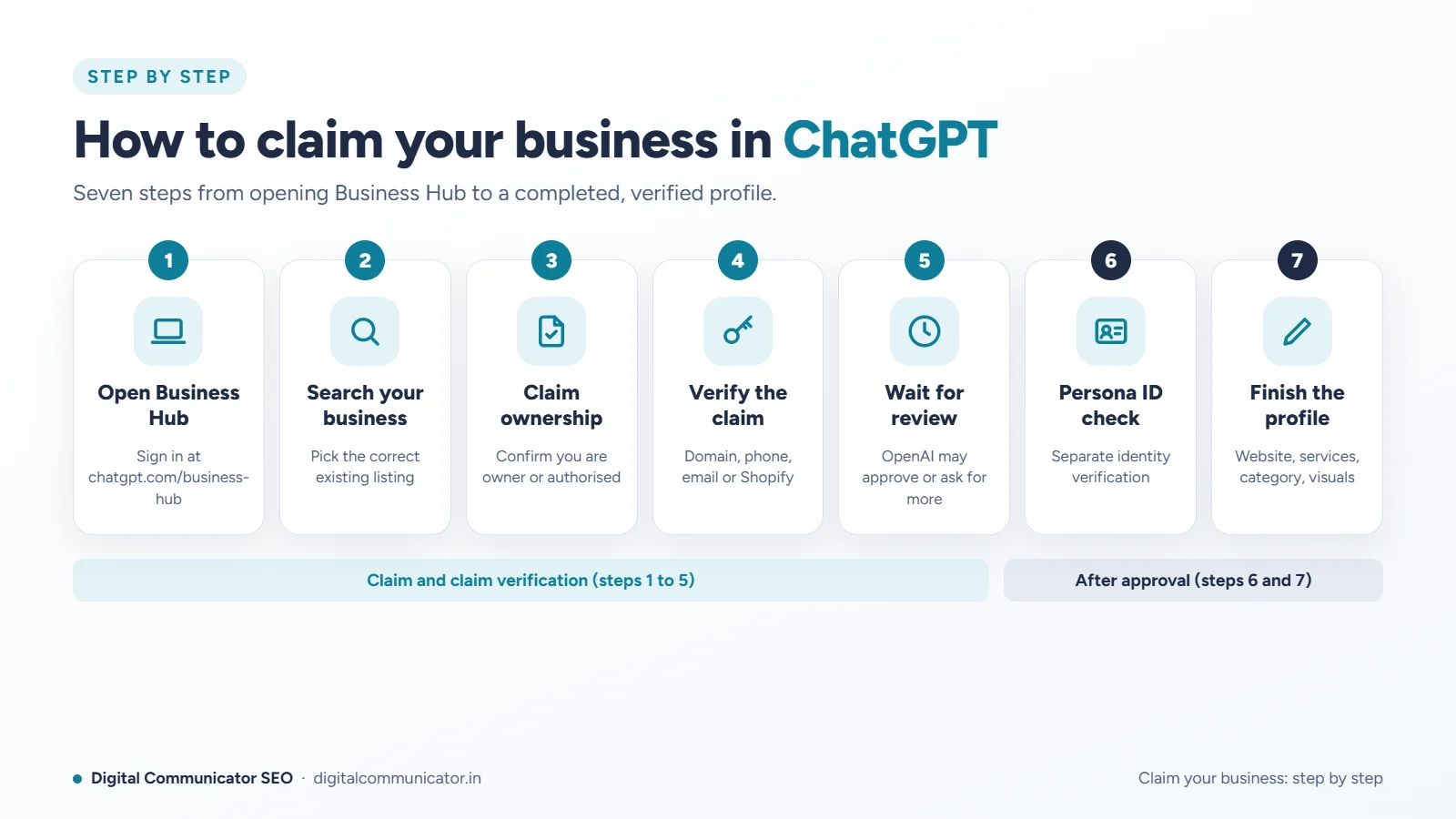
In short: Open Business Hub, find your listing, claim it, verify the claim, wait for review, complete the Persona identity check, then finish your profile.
- Open Business Hub. Visit chatgpt.com/business-hub and sign in to your ChatGPT account.
- Search for your business. Enter the official business name and select the correct existing listing. Where supported, eligible online businesses may see an option to add a business.
- Claim ownership. Confirm that you are the owner or an authorised representative, and choose a verification option offered for your business.
- Complete claim verification. Follow the on-screen instructions for domain, phone, email or Shopify verification. The methods available vary.
- Wait for claim review. OpenAI may approve the claim or ask for more evidence. There is no published standard review time.
- Complete Persona identity verification. After the claim is approved, finish the separate identity check with Persona. It is needed to publish profile updates and access certain features.
- Finish the profile. Add or correct your website, services, business description, category and visuals. Submitted changes may be reviewed before they are published.
All supported claim verification methods
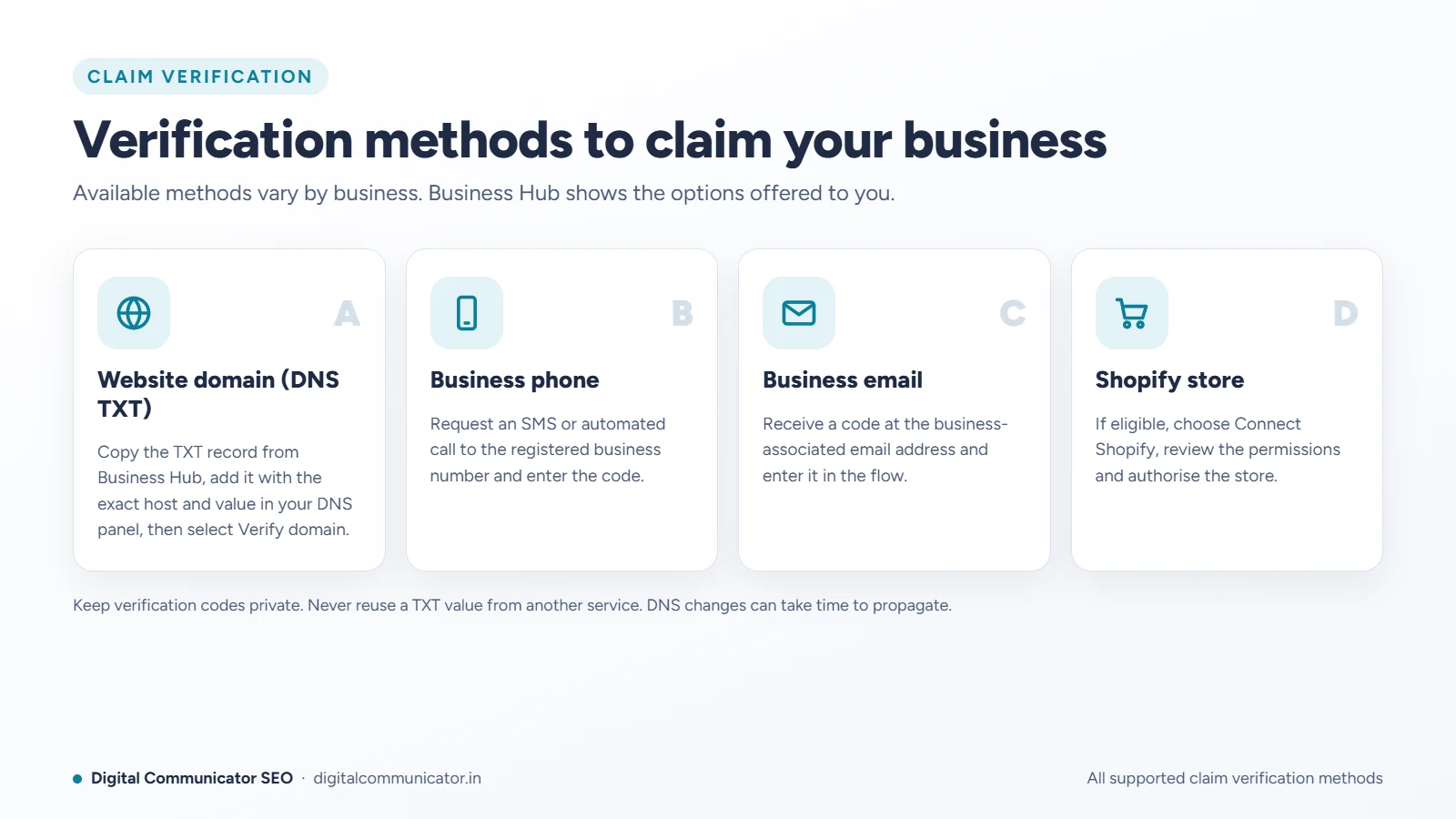
In short: You prove ownership through your website domain, business phone, business email or, for eligible merchants, a Shopify store.
A. Website domain (DNS TXT record)
Choose Website domain and copy the TXT record that Business Hub provides. Open your DNS hosting panel, add the record with the exact host (name) and value, save it, then return and select Verify domain. DNS changes can take time to propagate. Do not guess the value or reuse a TXT value from another service.
B. Business phone (SMS or call)
Choose the business phone option if it is offered. Request an SMS or automated call to the registered business number, then enter the code in Business Hub. Keep verification codes private.
C. Business email
Select business email when it is offered. Request a verification code at the business-associated address and enter it in the claiming flow.
D. Shopify store
If your business is eligible and Shopify is offered, choose Connect Shopify, review the requested permissions and follow the store authorisation flow.
Example: a Trivandrum Ayurveda centre
An Ayurveda centre whose website is managed by an agency would usually pick DNS verification, since the agency already controls the domain’s DNS. The owner, not the agency, would then complete the Persona identity check, because that step confirms the person who has authority over the business.
Separate Persona identity verification
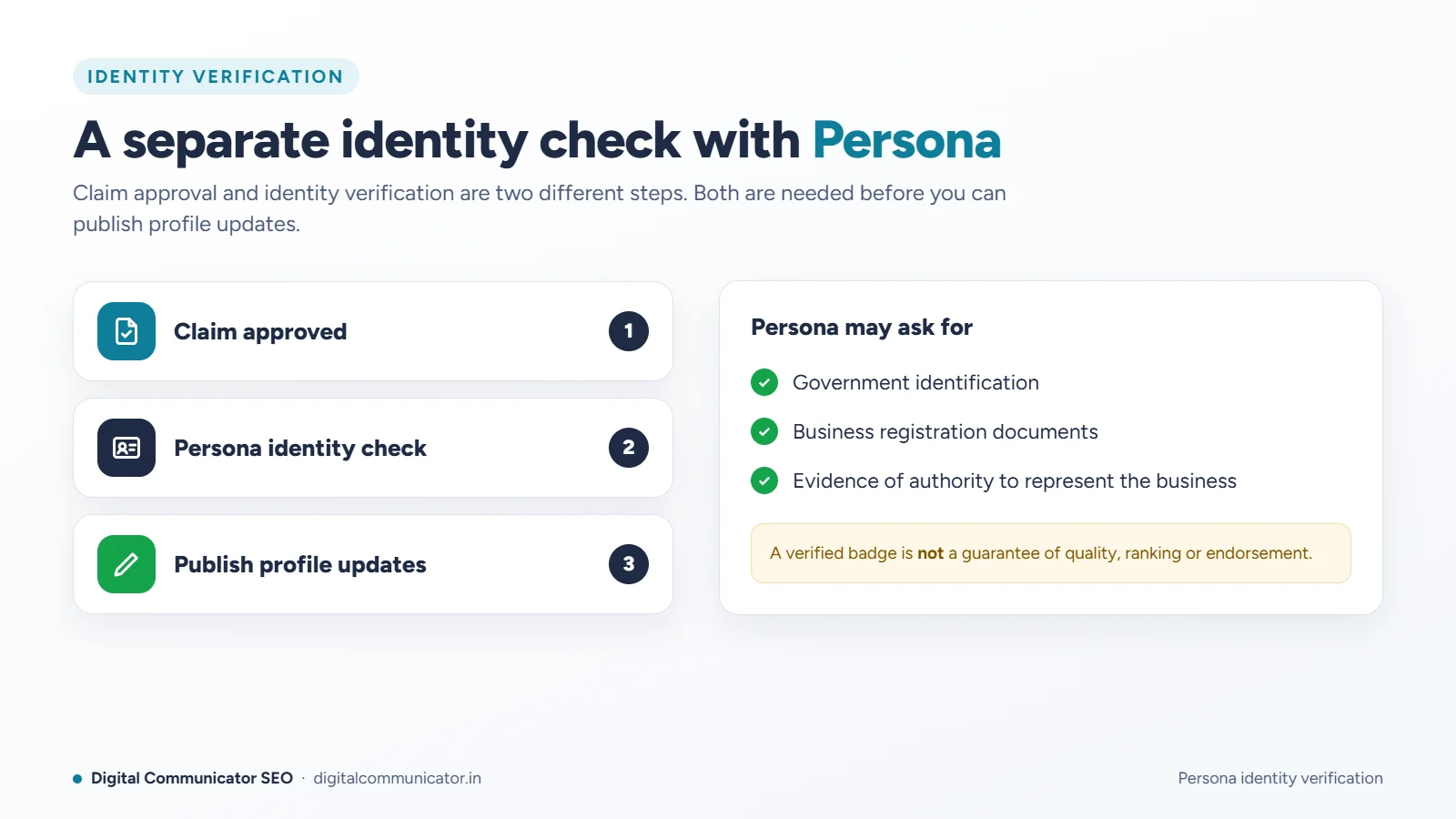
Claim approval and identity verification are two separate steps. Persona may ask for government identification, business registration documents or evidence of your authority to represent the business.
A verified badge only shows that the required checks were completed. It is not a guarantee of quality, ranking or endorsement.
Is Businesses in ChatGPT available in every country?
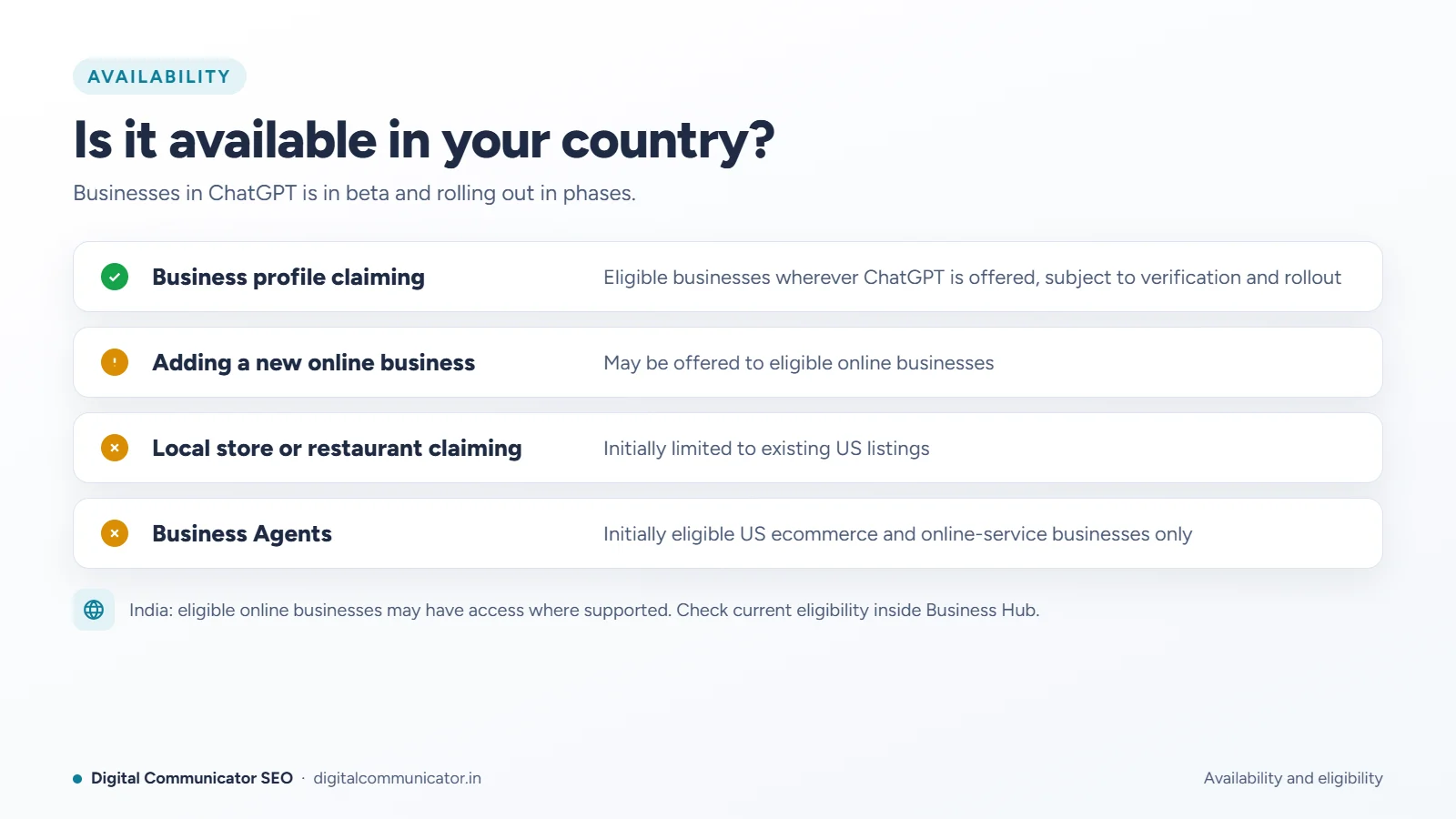
In short: Profile claiming is open to eligible businesses wherever ChatGPT is offered, but local stores and Business Agents start in the US only.
| Capability | Availability and limitations |
|---|---|
| Business profile claiming | Eligible businesses in locations where ChatGPT is offered, subject to verification and rollout |
| Adding a new online business | May be offered to eligible online businesses |
| Local store or restaurant claiming | Initially limited to existing US listings |
| Business Agents | A separate feature, initially limited to eligible US ecommerce and online-service businesses |
Availability is changing during the beta. If you do not see an option, do not assume your country or business category is supported. Check the current OpenAI eligibility page. No general waiting list for unsupported locations has been documented.
What are the benefits of claiming your business in ChatGPT?
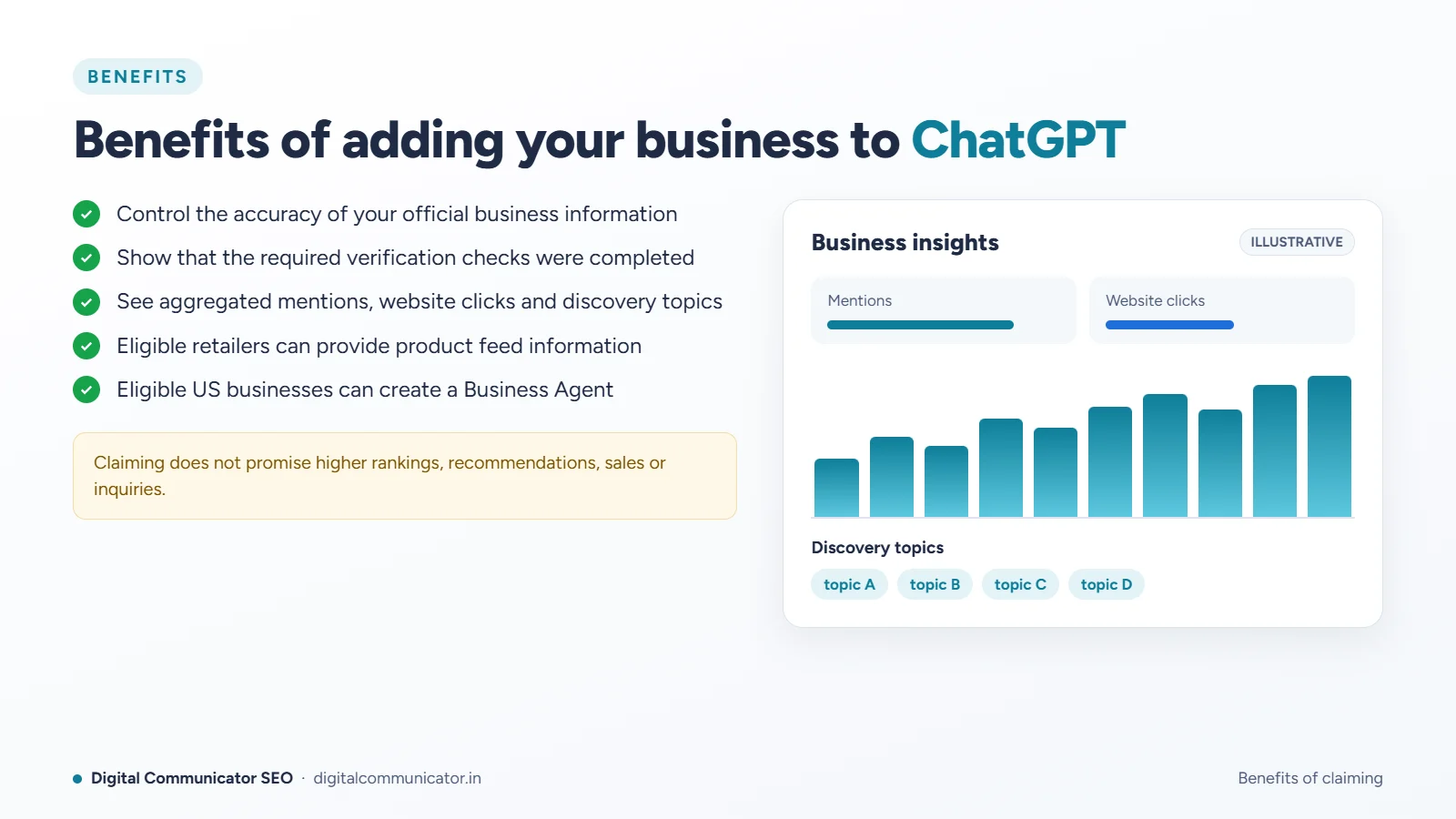
In short: You gain control over accuracy, a verification signal and first-party insight into how ChatGPT mentions you.
- Control accuracy: update official information about the business and its services.
- Verification: show that the claimant completed the required checks.
- Insights: access supported aggregated website mentions, clicks and discovery topics.
- Retail information: eligible merchants can provide product feed information.
- Business Agents: eligible US businesses can create a separate, business-controlled conversation with customers.
Insights are aggregated. OpenAI does not share individual users’ conversations or prompts with businesses.
Important
OpenAI does not promise more rankings, recommendations, sales or inquiries just because a profile is claimed.
ChatGPT Business Profile vs Google Business Profile
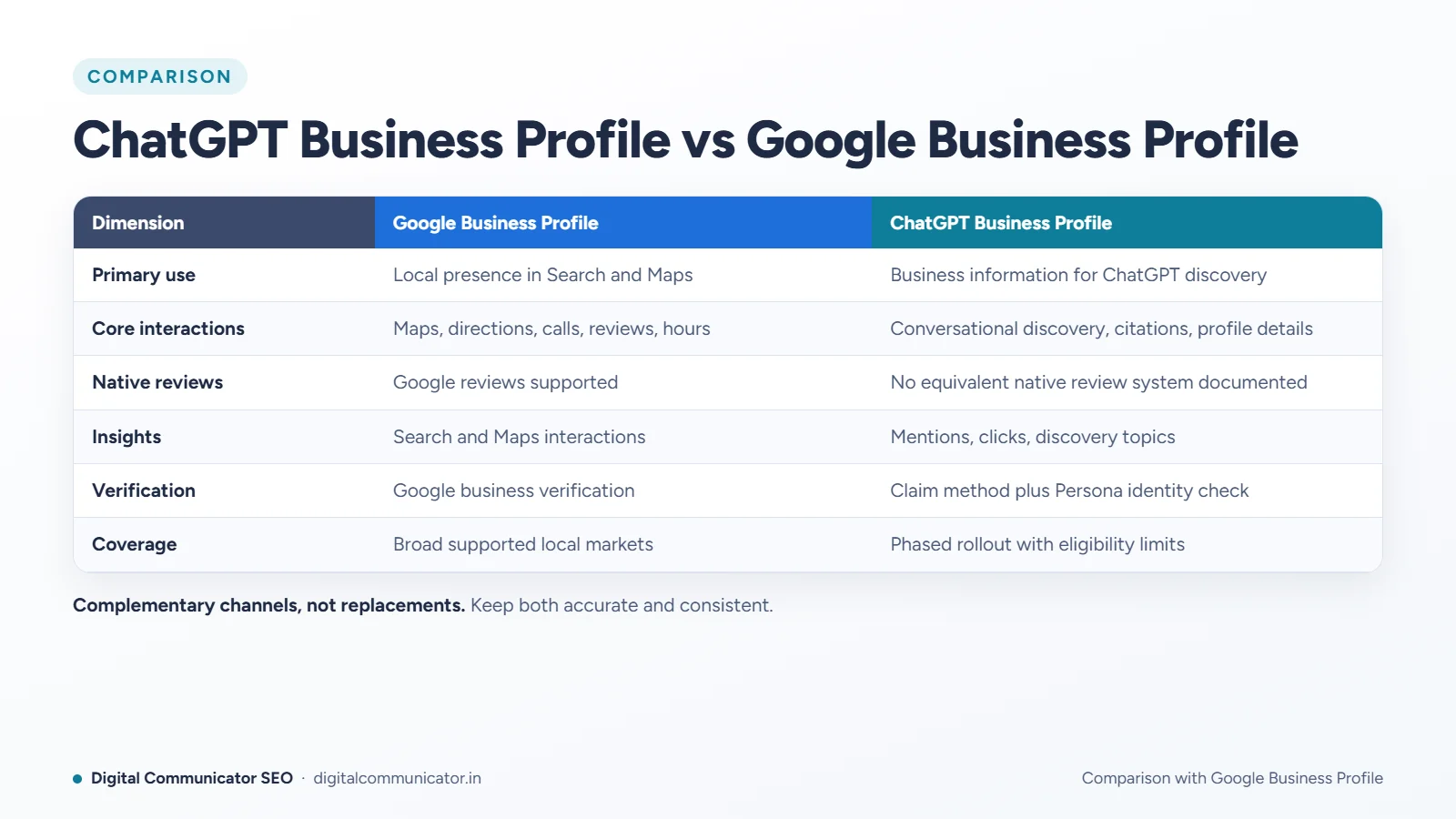
In short: Google Business Profile serves local search and Maps; a ChatGPT profile supplies business information for conversational discovery. They complement each other.
| Dimension | Google Business Profile | ChatGPT Business Profile |
|---|---|---|
| Primary use | Local presence in Search and Maps | Business information for ChatGPT discovery |
| Core interactions | Maps, directions, calls, reviews, hours | Conversational discovery, citations and profile details |
| Native reviews | Google reviews supported | No equivalent native review system documented |
| Insights | Search and Maps interactions | Supported mentions, clicks and discovery topics |
| Verification | Google-supported business verification | Claim method plus Persona identity verification |
| Coverage | Broad supported local markets | Phased rollout with eligibility restrictions |
Example: a dental clinic in Kochi
Someone searching “dentist near me” on Google Maps may care most about distance, opening hours and reviews. Someone asking ChatGPT about dental implants in Kochi may want explanations, suitability and a comparison of providers. The clinic benefits from both, which is why a well-managed profile with a Google Business Profile expert in Kerala still matters.
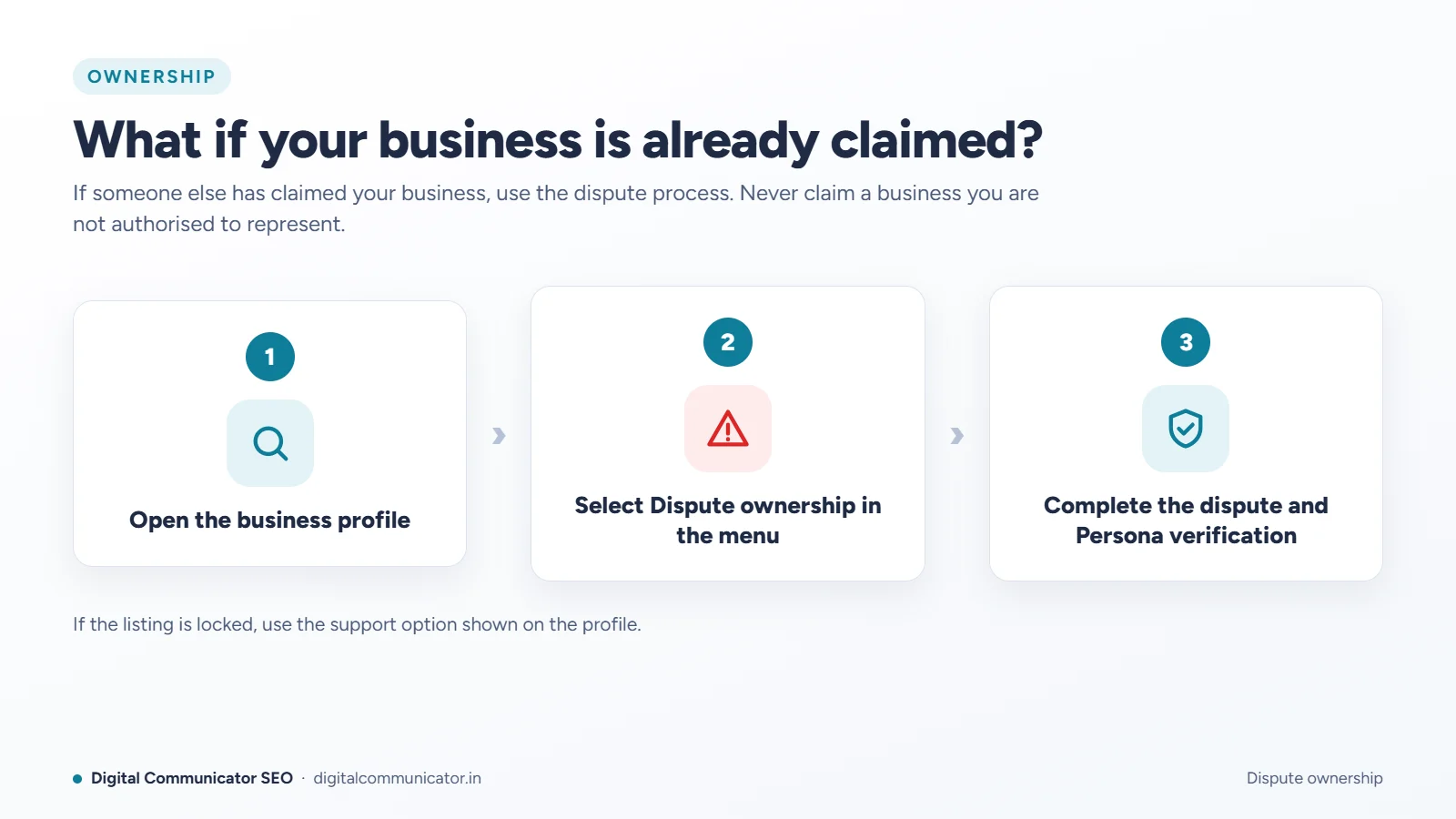
What if someone else has already claimed your business?
In short: Use the Dispute ownership option on the profile and complete the verification it asks for.
- Open the relevant business profile in Business Hub.
- Look for Dispute ownership in the available menu.
- Follow OpenAI’s dispute process and the Persona verification.
If the listing is locked, use the support option shown on the profile. Never try to claim a business you are not authorised to represent.
What to do if claiming is not available to you yet
In short: Strengthen the signals ChatGPT already reads: your website, your content and consistent third-party references.
- Maintain a clear official website with a consistent business name, contact details and service descriptions.
- Publish useful pages that answer genuine customer questions and make clear who each service is for.
- Build credible third-party references and keep your legitimate business profiles consistent.
- Review AI-search citations and referrals, without assuming that a profile claim controls recommendations.
Frequently asked questions
Q: Does claiming my business guarantee ChatGPT recommendations?
A: No. ChatGPT makes its own relevance decisions. Claiming helps keep your information accurate.
Q: Is claiming the same as buying ChatGPT Business?
A: No. Business Hub claiming and the ChatGPT Business workplace subscription are different products.
Q: Can agencies manage client profiles?
A: Authorised representatives may take part, but the business must complete the required verification and grant appropriate access.
Q: Can I see individual customer prompts?
A: No. Business insights are aggregated and do not expose private conversations.
Q: Is Businesses in ChatGPT available in India?
A: Eligible online businesses may have access where supported. Check your current eligibility inside Business Hub.
Q: Can an Indian business create a Business Agent?
A: Not yet. At launch, Business Agents are limited to eligible US businesses.
Q: Does it cost anything?
A: At launch, Business Hub and Business Agents are free. Businesses can separately choose to sponsor a Business Agent through ChatGPT Ads.
Conclusion
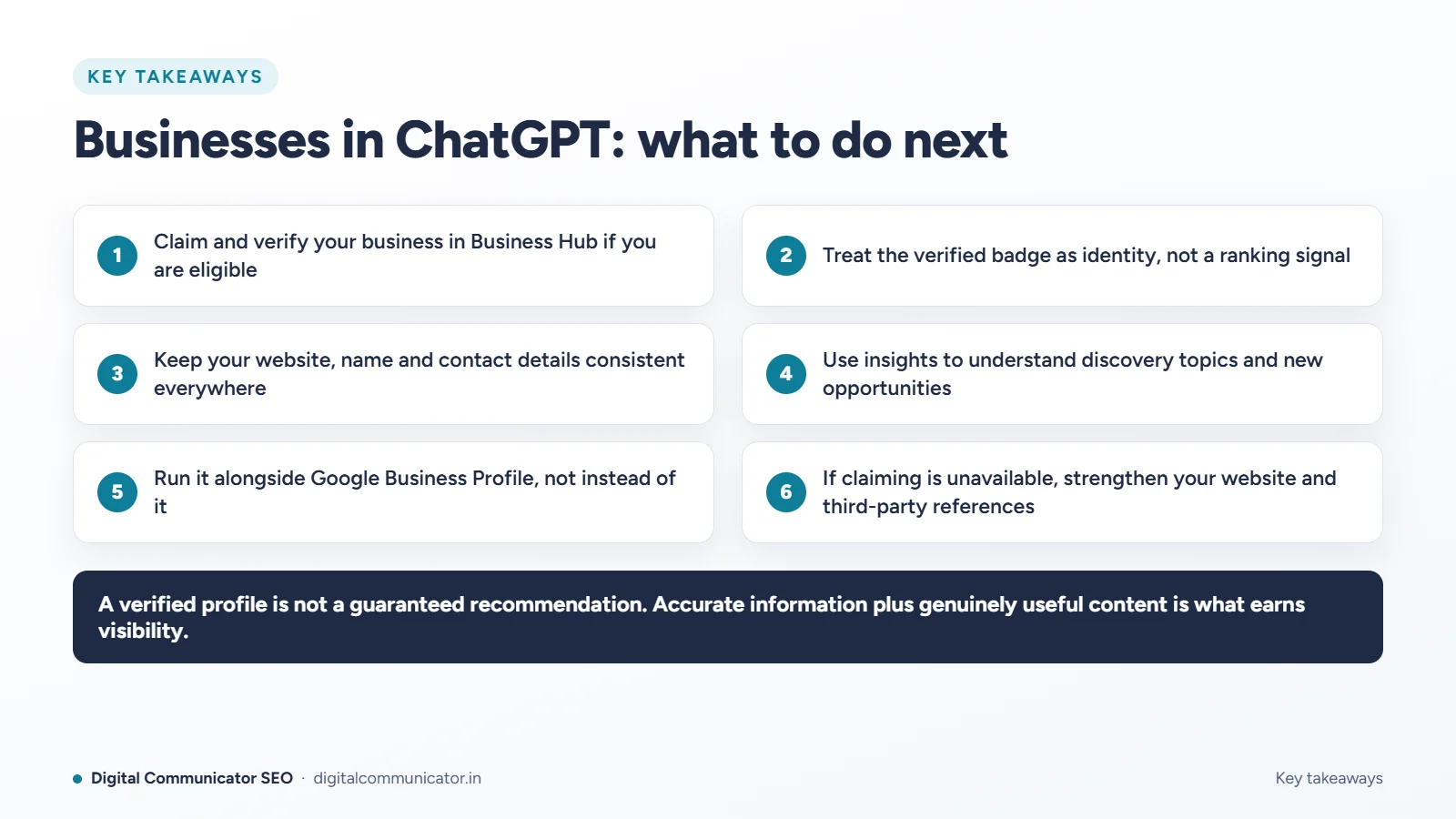
Businesses in ChatGPT adds a useful layer of business identity management to AI-powered discovery. It helps businesses keep their information accurate and understand some of the ways people discover them. It should sit alongside a strong website, trustworthy content and, where it applies, a Google Business Profile, not replace them. A verified profile is not a guaranteed recommendation.
If you want help preparing your business for AI search, including ChatGPT visibility and the content that earns citations, talk to an experienced SEO expert in Kerala.
If you would rather learn to do this yourself, optimising business information and content for ChatGPT and other AI search tools is taught step by step in our advanced SEO course in Kerala.
Sources
- OpenAI, “Introducing Businesses in ChatGPT”, November 2026
- OpenAI, Businesses in ChatGPT
- OpenAI Help Center, “Setting up your business on ChatGPT”
- Search Engine Roundtable, “Businesses in ChatGPT Business Hub Live With Click Data”, November 2026
Editorial note: the diagrams in this guide are original conceptual illustrations, not screenshots of the Business Hub interface. Availability and verification requirements may change during the beta.